前言
这周和大家分享如何用python识别图像里的条码。用到的库可以是zbar。希望西瓜6辛苦码的代码不要被盗了。(zxing的话,我一直没有装好,等装好之后再写一篇)
具体步骤
前期准备
用opencv去读取图片,用pip进行安装。
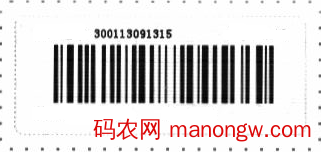
所用到的图片就是这个
使用pyzbar
windows的安装方法是
而mac的话,最好用brew来安装。
(有可能直接就好,也有可能很麻烦)
装好之后就是读取图片,识别条码。
代码如下import cv2
import pyzbar.pyzbar as pyzbar
image=cv2.imread(“/Users/phoenix/Downloads/barcode.png”)
gray = cv2.cvtColor(image, cv2.COLOR_BGR2RGB)
texts = pyzbar.decode(gray)
for text in texts:
tt = text.data.decode(“utf-8”)
print(tt)
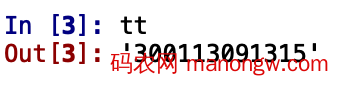
结果如图:
特殊情况处理(条码图片矫正和增强)
只以pyzbar举例
条码是颠倒的是否会影响识别?
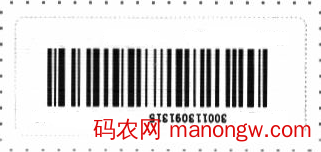
不影响,单纯颠倒180度和90度是不会影响识别的。
我们把上一个图的颠倒180度,用颠倒后的图试一下
import cv2
import pyzbar.pyzbar as pyzbar
import numpy as np
image=cv2.imread(“/Users/phoenix/Downloads/barcode_180.png”)
gray = cv2.cvtColor(image, cv2.COLOR_BGR2RGB)
texts = pyzbar.decode(gray)
print(texts)
if texts==[]:
print(“未识别成功”)
else:
for text in texts:
tt = text.data.decode(“utf-8”)
print(“识别成功”)
print(tt)
结果如图

90度的话也是同样可以成功的。但是其它角度就会GG。
条码是倾斜的是否会影响识别?
会的,但这种还比较好处理。
如图
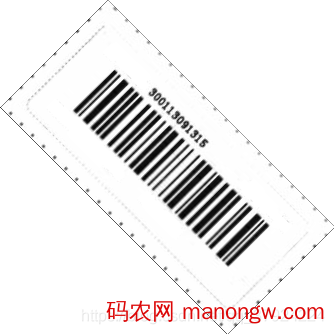
这张图用上面的代码就会

解决的思路是把这个图片旋转回来,至于如何判断转多少度,可以通过opencv来处理。通过膨胀和腐蚀将其变为如图。
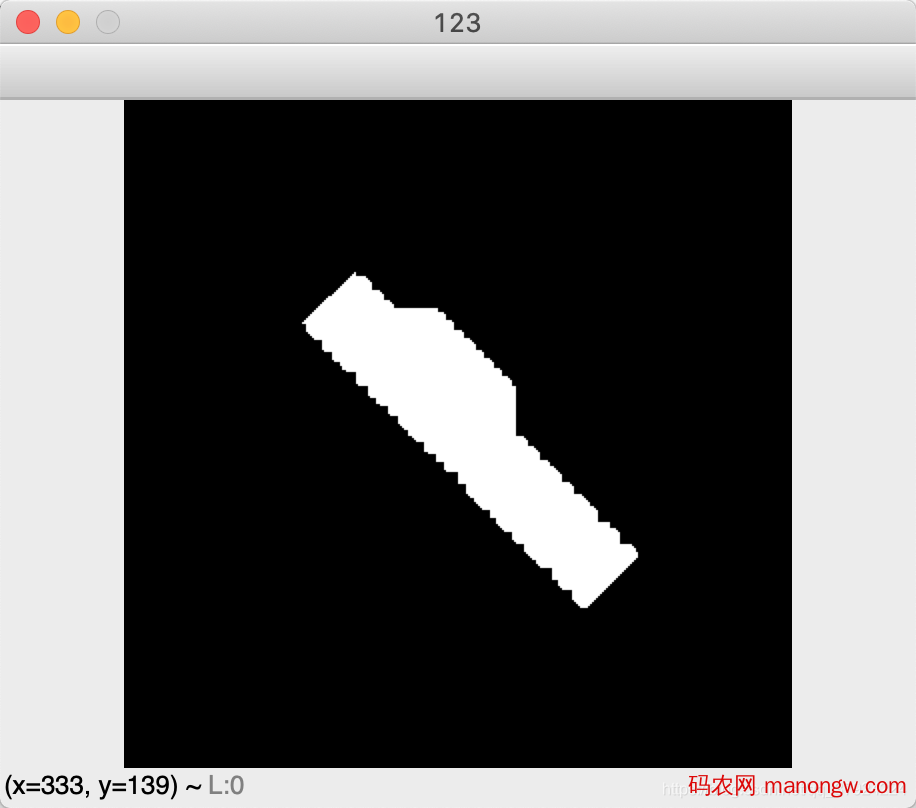
接着再用cv2.minAreaRect函数,这个函数会返回如下,

里面的第三个-45就是我们需要的角度。
综合起来的实现代码,我就放在下面了。(我自己写的,如果有帮到你,快点关注和赞)
import cv2
import pyzbar.pyzbar as pyzbar
import numpy as np
def barcode(gray):
texts = pyzbar.decode(gray)
if texts == []:
angle = barcode_angle(gray)
if angle < –45:
angle = –90 – angle
texts = bar(gray, angle)
if texts == []:
gray = np.uint8(np.clip((1.1 * gray + 10), 0, 255))
angle = barcode_angle(gray)
#西瓜6写的,转载需声明
if angle < –45:
angle = –90 – angle
texts = bar(gray, angle)
return texts
def bar(image, angle):
gray = image
#西瓜6写的,转载需声明
bar = rotate_bound(gray, 0 – angle)
roi = cv2.cvtColor(bar, cv2.COLOR_BGR2RGB)
texts = pyzbar.decode(roi)
return texts
def barcode_angle(image):
gray = image
#西瓜6写的,转载需声明
ret, binary = cv2.threshold(gray, 220, 255, cv2.THRESH_BINARY_INV)
kernel = np.ones((8, 8), np.uint8)
dilation = cv2.dilate(binary, kernel, iterations=1)
erosion = cv2.erode(dilation, kernel, iterations=1)
erosion = cv2.erode(erosion, kernel, iterations=1)
erosion = cv2.erode(erosion, kernel, iterations=1)
contours, hierarchy = cv2.findContours(
erosion, cv2.RETR_EXTERNAL, cv2.CHAIN_APPROX_NONE)
if len(contours) == 0:
rect = [0, 0, 0]
else:
rect = cv2.minAreaRect(contours[0])
return rect[2]
def rotate_bound(image, angle):
(h, w) = image.shape[:2]
(cX, cY) = (w // 2, h // 2)
M = cv2.getRotationMatrix2D((cX, cY), –angle, 1.0)
cos = np.abs(M[0, 0])
sin = np.abs(M[0, 1])
#西瓜6写的,转载需声明
nW = int((h * sin) + (w * cos))
nH = int((h * cos) + (w * sin))
M[0, 2] += (nW / 2) – cX
M[1, 2] += (nH / 2) – cY
return cv2.warpAffine(image, M, (nW, nH))
image=cv2.imread(“/Users/phoenix/Downloads/barcode_455.png”)
gray = cv2.cvtColor(image, cv2.COLOR_BGR2GRAY)
texts = barcode(gray)
print(texts)
if texts==[]:
print(“未识别成功”)
else:
for text in texts:
tt = text.data.decode(“utf-8”)
print(“识别成功”)
print(tt)
条码是模糊的是否会影响识别?
会的,处理方法就是传统的调对比度,锐化。。。。
不过这个只能解决部分部分,至于有的条码,微信可以扫,支付宝可以扫,但是我们识别不了,这个也不能怪库不好,这部分该放弃就放弃吧。结束语
如果你想用python来解决图像里的条码识别问题,这篇文章肯定是可以帮到你的。到此这篇关于详解利用python识别图片中的条码(pyzbar)及条码图片矫正和增强的文章就介绍到这了。