这个小程序可以自己设定行数和列数进行图片切割
import os
from PIL import Image
def splitimage(src, rownum, colnum, dstpath):
img = Image.open(src)
w, h = img.size
if rownum <= h and colnum <= w:
print(Original image info: %sx%s, %s, %s % (w, h, img.format, img.mode))
print(开始处理图片切割, 请稍候…)
s = os.path.split(src)
if dstpath == :
dstpath = s[0]
fn = s[1].split(.)
basename = fn[0]
ext = fn[–1]
num = 0
rowheight = h // rownum
colwidth = w // colnum
for r in range(rownum):
for c in range(colnum):
box = (c * colwidth, r * rowheight, (c + 1) * colwidth, (r + 1) * rowheight)
img.crop(box).save(os.path.join(dstpath, basename + _ + str(num) + . + ext), ext)
num = num + 1
print(图片切割完毕,共生成 %s 张小图片。 % num)
else:
print(不合法的行列切割参数!)
src = input(请输入图片文件路径:)
if os.path.isfile(src):
dstpath = input(请输入图片输出目录(不输入路径则表示使用源图片所在目录):)
if (dstpath == ) or os.path.exists(dstpath):
row = int(input(请输入切割行数:))
col = int(input(请输入切割列数:))
if row > 0 and col > 0:
splitimage(src, row, col, dstpath)
else:
print(无效的行列切割参数!)
else:
print(图片输出目录 %s 不存在! % dstpath)
else:
print(图片文件 %s 不存在! % src)
运行效果
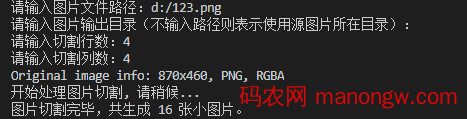
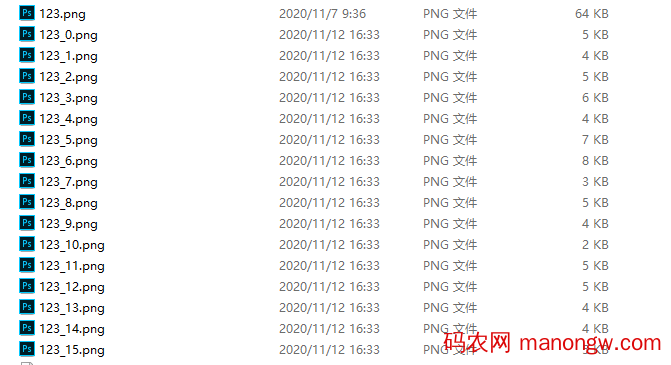
以上就是利用python切割图片的示例的详细内容。